
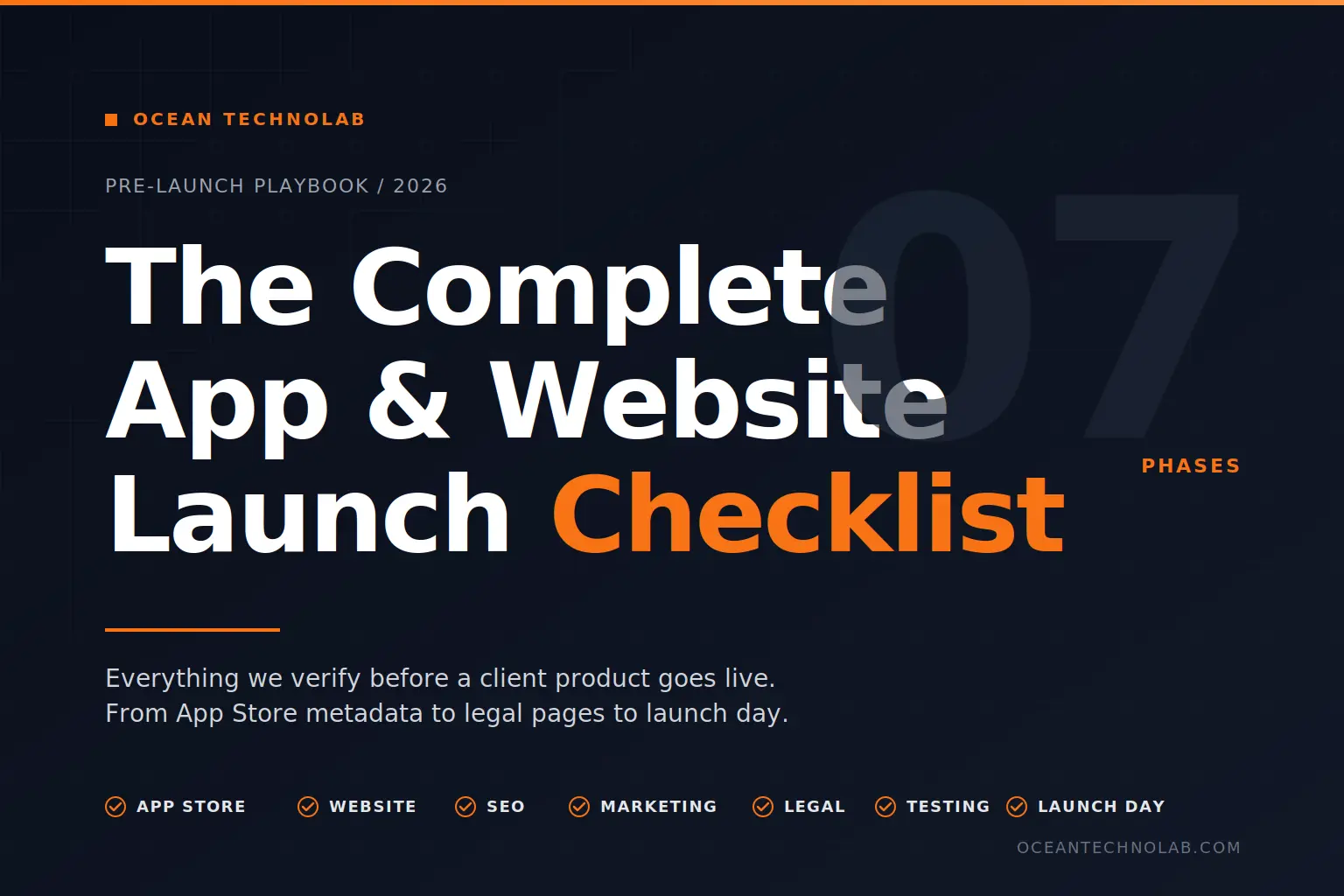
Everything we verify before a client product goes live, from App Store metadata to legal pages to launch-day execution.
Why this checklist exists
Most launches do not fail because the product is broken. They fail because something small was missed. A privacy policy URL that returns a 404. A favicon that never got uploaded. An Open Graph image that turns the launch tweet into a blank rectangle. A sitemap that was never submitted to Google.
We have shipped apps, SaaS platforms, Shopify stores, and corporate websites for clients across India and internationally. After enough launches, you learn that the difference between a clean go-live and a chaotic one is not talent. It is preparation. So we built a single internal checklist that every Ocean Technolab project runs through before we hand over the keys.
This is the public version of that checklist. If you are launching your own app or website, or working with an agency that is launching one for you, run through this before you hit publish.
App Store: Where most founders leave money on the table
If your product is going on the App Store or Play Store, this is the section where new founders consistently underprice their visibility.
App title
The title field is searchable. Most founders use only the brand name. That is a wasted opportunity.
A good title combines your brand with the actual category keyword someone would type into the store search bar. People do not search your brand name unless they already know about you. They search the problem.
Weak: Brand Name Better: Brand Name: Expense Tracker Strongest: Brand Name: Voice Expense Tracker
Keep the full title under 30 characters and make sure it still reads naturally.
Subtitle
The subtitle is 30 free characters of keyword space directly under your app name. We see most apps leave this empty. Use it to expand your value proposition with secondary keywords that did not fit in the title.
Example: Track Spending in 3 Seconds
App description
You get 4,000 characters. Most users read the first 2 lines, tap More if they are interested, and tap Install if those 2 lines hooked them.
Structure it like this:
- First 2 lines: the hook. State the problem and the outcome in plain language.
- Next paragraph: the core features. What the app actually does.
- Following paragraphs: differentiators, social proof, supported platforms, trust signals.
- Final paragraph: a clear call to action.
Skip generic openers like “Welcome to our app.” That sentence has converted exactly zero downloads.
Keywords field
You get 100 characters in the iOS keywords field. No spaces after commas, and never repeat words already in your title or subtitle. That is wasted space.
Use App Store Connect’s Search Ads tool to validate keyword volume before you commit. Mix broad keywords with specific long-tail terms. Include common misspellings if they are realistic.
Screenshots
Screenshots are marketing collateral, not documentation. The first two screenshots are what users see without scrolling. They have to do the heavy lifting.
Best practices we follow on every client launch:
- Add a clear text overlay explaining the benefit shown in each screen.
- Use real content, never placeholder text.
- Show different use cases across the screenshot set so the value compounds.
- Build screenshots that tell a sequential story, not a feature dump.
A good screenshot says “Here is what this app removes from your day.” A bad one says “Home Screen” with no caption.
App preview video
The preview video auto-plays in the App Store. This is one of the highest-leverage assets you can produce.
Keep it under 30 seconds. Cut every second of intro. Open with the action. Add captions because most users watch with sound off. Show only the core flow, not every feature.
A good preview video lifts conversion meaningfully. A weak one or no video at all leaves money on the table.
Privacy policy URL
This is required by Apple and Google. Not optional. The URL must be publicly accessible, must explain what data you collect, why you collect it, and how a user can delete their data.
We always host the privacy policy on the client’s own domain, never on a generated URL from a third-party tool. It looks more credible and you control updates.
Support URL
Also required. Do not point this to your homepage. Have a dedicated support page or contact form. Test the email actually delivers before launch.
App category
Pick your primary category carefully. It affects which lists you appear in. The most relevant category is not always the smartest choice. A finance app like an expense tracker can sometimes rank faster in a less-saturated category like Productivity. Check what your direct competitors use.
Age rating
Answer the questionnaire honestly. Lying gets your app removed. If your app has no objectionable content, it will likely qualify for 4+. Walk through every question carefully because the rating affects which countries your app is available in.
Website: The home base your launch sends people to
Even if your product is an app, your website is the page that gets shared in tweets, LinkedIn posts, and WhatsApp groups on launch day. It must be ready.
Landing page minimum viable structure
At minimum your launch landing page needs:
- App or product name and icon
- One-line value proposition
- Screenshots or a short demo
- Visible download or sign-up buttons
- Contact information
A landing page that converts goes further:
- Feature breakdown organised by user benefit
- Testimonials or social proof, even if early
- Pricing if applicable
- FAQ section answering real buyer objections
- Blog or changelog showing the product is alive
Open Graph tags
When someone shares your link on Twitter, LinkedIn, WhatsApp, or anywhere else, Open Graph tags decide what shows up. Without them, the platform guesses, and the guess is almost always ugly.
Add these to the head of your landing page:
The Open Graph image specs we ship:
- 1200 x 630 pixels
- PNG or JPG format
- Under 8 MB
- Designed to look good at thumbnail size in chat previews
Test your tags using Facebook’s Sharing Debugger and Twitter’s Card Validator before launch day, not after.
Favicon
The icon in the browser tab. Skipping this is a small detail that makes the whole site look unfinished.
Create the standard sizes: 16×16, 32×32, and 180×180 for Apple Touch. Use a favicon generator to produce all variants in one go. Test it across Chrome, Safari, Firefox, and Edge.
Mobile responsive
Most launch traffic comes from mobile devices because most launch posts get opened on phones. If the landing page breaks on a 5-inch screen, your conversion is dead before it starts.
Test on actual devices, not browser dev tool simulators. Verify buttons are tappable with thumbs, text is readable without zooming, and images scale without breaking the layout.
SSL certificate
Your site must run on HTTPS. Without it, the App Store will not approve store listing links, browsers will mark the site as not secure, and Google will demote you in search.
Most modern hosting providers like Vercel, Netlify, or Hostinger include SSL by default. If your URL still starts with HTTP, fix it today, not next week.
Download buttons
Make downloading dead simple. Use the official badge artwork from Apple and Google. Link directly to your store listing, not a redirect page. Make the buttons large enough to tap easily on mobile.
For mobile web visitors, smart banners from Apple let users tap once to open the App Store. Use them.
SEO: The work that pays off in months, not days
Launch traffic is a spike. SEO is the compounding asset. Set this up before launch so the work starts compounding the day you go live.
Google Search Console
Without this, Google may not even know your site exists. Setup is free and takes 5 minutes.
Steps we run on every client site:
- Go to search.google.com/search-console
- Add your property with the website URL
- Verify ownership through a DNS record, HTML file, or meta tag
- Submit your sitemap
- Check the Coverage report for indexing errors
Bing Webmaster Tools
Bing accounts for around 10 percent of global search. That is not noise. It also has noticeably less competition than Google for many keywords.
Go to bing.com/webmasters, import your Google Search Console settings in one click, submit your sitemap, and turn on IndexNow while you are there.
Sitemap
A sitemap tells search engines what pages exist. Most modern frameworks like Next.js generate this automatically. WordPress generates it through Yoast or Rank Math. Submit the sitemap URL to both Google and Bing, and update it whenever you add new pages.
The standard URL is yoursite.com/sitemap.xml .
IndexNow
Instead of waiting days for crawlers to discover new pages, you ping search engines directly. Bing, Yandex, and a growing list of engines support it. Setup is straightforward:
- Generate an API key
- Add a text file with that key to your site root
- Ping the IndexNow API every time you publish new content
Most frameworks and CMS platforms have plugins or built-in support. WordPress, Next.js, and even static site generators all have packages for this.
Meta title and description
Every page needs a unique title and description. These are the lines that appear in search results and decide whether people click.
Page Title Under 60 Characters
The title belongs in the first 60 characters. The description in the first 160 characters. Include the keyword once, naturally. Write the description like an ad, not a documentation snippet.
Robots.txt
This tells search engines what they can and cannot crawl. Even a basic file is better than none. The default for most public sites:
User-agent: *
Allow: /
Sitemap: https://yoursite.com/sitemap.xml
Block admin pages, private routes, staging environments, and search result pages.
Marketing: Building it is half the work
Shipping the product is 50 percent of the launch. The other 50 percent is making sure people care.
Launch post
Write this before launch day. By the time the product is live you will have no energy or clarity to write good copy.
Every launch post we draft for clients answers four questions in this order:
- What did you build?
- Why did you build it?
- What makes it different from existing options?
- What do you want the reader to do next?
Then write platform-specific versions:
- Twitter or X: short, punchy, designed for the timeline scroll.
- LinkedIn: professional, story-driven, longer form, focused on the business problem.
- Reddit: value-first and informative. Promotional copy gets buried instantly.
- Product Hunt: focused on the maker’s journey and the use case.
- Hacker News: technical depth. Skip the marketing language entirely.
Social media assets
Have these ready before launch day, not during:
- App icon in multiple sizes for different platforms
- Screenshots formatted to each platform’s preferred dimensions
- Banner images for Twitter and LinkedIn headers
- Short demo video or animated GIF showing the core flow
- Quote cards highlighting the top 3 features in clean typography
We build these in Figma so the client can re-export and reuse them in future campaigns without going back to a designer for every variant.
Email list
If you have one, use it. Notify subscribers a day before launch. Give them early access or a small launch offer. Ask them to share. Thank them publicly.
If you do not have an email list, start one before the product launches, not after. The first 100 users matter more than the next 1,000.
Product Hunt
Product Hunt can drive significant launch-day traffic. It also requires preparation. We schedule client launches mid-week (Tuesday through Thursday performs best). Every asset is ready 7 days before: thumbnail, gallery images, description, the maker’s first comment.
Line up early supporters who will comment and upvote in the first hour. Be available for the entire day to respond to questions. Treat it as a community, not a vote farm.
Friends and community
Your first users are your existing network. Tell people who already know you. Post in communities you are already part of, not ones you have never engaged with. Spam destroys reputation faster than launch generates it.
Legal: The boring section that protects everything
Skipping legal pages can get your app removed, your store account suspended, or worse. We never let a client product launch without these in place.
Privacy policy
Required by Apple, Google, GDPR (Europe), CCPA (California), and basic common sense. Your privacy policy must explain:
- What data you collect
- Why you collect it
- How you store it
- How long you keep it
- Who else has access to it
- How users can access, modify, or delete their data
- How you handle children’s data if your app reaches users under 13
- How you notify users of changes
Generic templates miss app-specific details. We rewrite the template for every client to match how the actual product handles data.
Terms of service
Protects you legally. Lays out the rules of using your app. The standard sections we include:
- Who is allowed to use the app, including age restrictions
- Acceptable use policy
- Intellectual property rights
- Limitation of liability
- Dispute resolution
- Termination conditions
If your app handles payments, health data, financial information, or anything regulated, run the document through a lawyer before launch. We refer Indian clients to local legal counsel and route international clients through their existing legal partners.
Data handling documentation
Know your own data flow before app store reviewers ask you about it. Document:
- Where data is stored: device, your servers, third-party services
- What is encrypted in transit and at rest
- Who on your team has production access
- How data is backed up and how often
- How data is deleted when a user requests it
This document also helps your support team answer user questions clearly.
GDPR compliance
If you have any users in Europe, GDPR applies. Get explicit consent before collecting data. Allow users to access, delete, and export their data. Report breaches within 72 hours. Fines are large enough to end small companies. Do not skip this.
Cookie notice
If your website uses cookies for analytics, advertising, or functionality, show a notice. Explain what cookies you use. Allow users to accept or reject non-essential cookies. Remember their choice across sessions.
Pre-launch testing: Catch problems before users do
Before the product goes live, test everything end to end. We split this into four testing tracks.
App testing
- Test on multiple devices with different screen sizes and OS versions.
- Test on slow 3G and on no network.
- Test with low battery and full storage.
- Run every user flow end to end, not just the happy path.
- Test edge cases: empty states, very long text, special characters, emoji input.
- Use real production-like data, not test data.
Website testing
- Test on Chrome, Safari, Firefox, and Edge.
- Test on iOS and Android browsers.
- Click every link, including footer and legal pages.
- Submit every form and verify the email or webhook actually fires.
- Test download buttons end to end, not just the click event.
- Verify the site degrades gracefully if JavaScript is disabled.
Payment testing
If you charge users:
- Run the full purchase flow with sandbox accounts before going live.
- Test subscription renewal logic.
- Test cancellation and refund flow.
- Test restore purchases on iOS.
- Test failed payment handling: declined cards, expired cards, insufficient funds.
For SaaS, RevenueCat, Stripe, and Razorpay all have proper sandbox modes. Use them.
Analytics testing
You need clean data from day one. Verify every event is firing correctly. Verify user properties are being set. Verify conversion tracking actually attributes the right source. Test with your own device for 24 hours before launch.
You cannot iterate post-launch if your analytics are broken. Fix this before, not after.
Launch day: Execute the plan, do not improvise
By launch day all the thinking should be done. The day is for execution.
Morning of
- Confirm the app is approved and ready for release in App Store Connect or Play Console.
- Confirm the website is live and every link works.
- Confirm all launch posts are queued or ready to publish.
- Block your calendar. Cancel meetings. Be available.
Go live
- Release the app if not already live.
- Publish your launch posts on Twitter, LinkedIn, and any other channel.
- Post on Product Hunt if launching there.
- Send the email to your list.
- Tell friends, family, and your community.
Throughout the day
- Monitor crash reports and error logs every hour.
- Respond to every comment and question, ideally within minutes.
- Thank people who share or support publicly.
- Document feedback in a single doc for post-launch review.
- Stay calm if something breaks. Something usually breaks.
End of day
- Note your numbers: downloads, signups, website visits, top traffic sources.
- Write down what worked and what did not while it is fresh.
- Acknowledge that you shipped. That alone puts you ahead of most builders.
- Sleep. Tomorrow you iterate.
Post-launch: The launch is the start, not the finish
A common founder mistake is treating launch day as the goal. Launch day is the start of the real work.
Week one
- Monitor app store reviews and ratings daily.
- Respond to every user message, even the angry ones.
- Fix critical bugs immediately and ship updates fast.
- Track retention from day one. Are people coming back, or only downloading?
- Thank every supporter publicly.
First month
- Analyse what is working and double down on it.
- Prioritise feature requests by frequency, not loudness.
- Continue marketing. One launch post is never enough.
- Build relationships with your earliest users. They will become your case studies.
Ongoing
- Ship regular updates. A stale app is a dead app.
- Communicate every release through a changelog.
- Build a small community where users help each other.
- Invest in content marketing for compounding reach.
- Iterate on real usage data, not assumptions.
The one-page checklist
Save this. We use the same list internally for every Ocean Technolab launch.
App Store
- App title with keywords
- Subtitle (do not leave empty)
- App description (hook in first 2 lines)
- Keywords researched and added
- Screenshots showing benefits
- App preview video
- Privacy policy URL
- Support URL
- App category selected
- Age rating completed
Website
- Landing page live and tested
- Open Graph tags set and previewed
- Favicon added across sizes
- Mobile responsive on real devices
- SSL certificate active
- Download or CTA button working
SEO
- Google Search Console connected
- Bing Webmaster Tools connected
- Sitemap submitted
- IndexNow configured
- Meta title and description set on every page
- Robots.txt in place
Marketing
- Launch post drafted for each platform
- Social media assets ready
- Email list notified
- Product Hunt listing prepared
- Friends and community lined up
Legal
- Privacy policy written and linked
- Terms of service written and linked
- Data handling documented
- GDPR compliance verified
- Cookie notice live if needed
Testing
- App tested across devices and network conditions
- Website tested across browsers and screen sizes
- Payment flows verified in sandbox
- Analytics verified end to end
Need help running this list for your launch?
We run this checklist for every web app, SaaS product, and store we ship. If you are launching something soon and want a second pair of eyes (or want us to handle the launch end to end), we work with founders across India and globally on exactly this.